

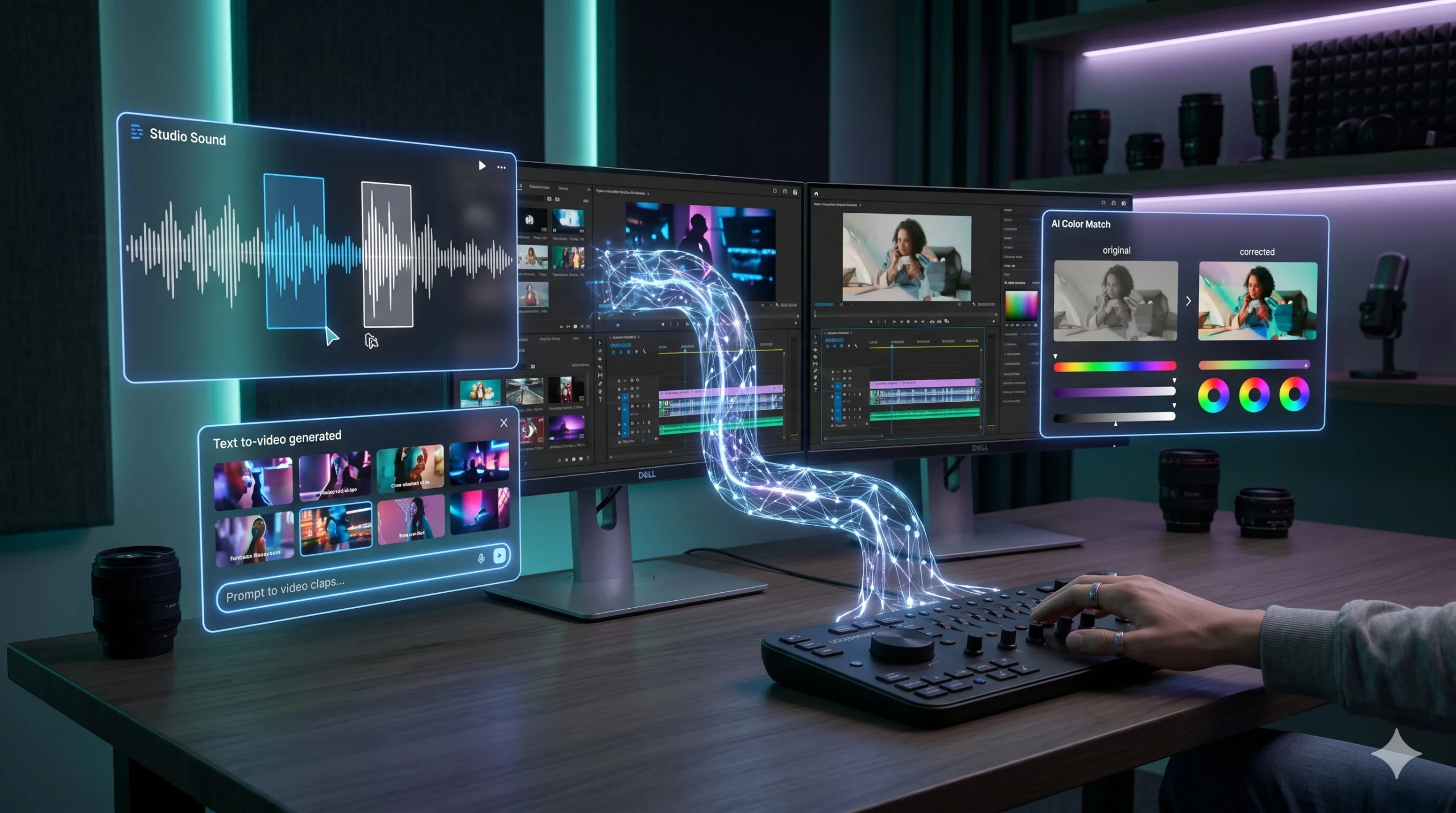
Experts claim AI video editing for beginners will democratize content creation by 2026. They suggest anyone can produce broadcast-quality video with minimal effort. But does this hold up under scrutiny? My recent foray into these “easy AI video tools” suggests a more nuanced reality.

RunwayML’s Gen-3, expected to be mainstream by early 2026, promises a future where text-to-video capabilities are indistinguishable from real footage. This sounds impressive. Yet, the current state often falls short of such bold marketing.
The promise of effortless video creation workflow is compelling for aspiring content creators. However, the path from raw footage to polished output still demands significant human input.
What I Was Trying to Do
My goal was straightforward: produce a 60-second social media advertisement for a fictional new smart home device, the “Nexus Hub 2.0,” within an hour. This wasn’t about generating a deep-fake documentary. It was about testing if AI video editing for beginners could genuinely accelerate a common content creator task. I had a rough script, some stock footage clips, and a voiceover recording. The challenge was to see how much of the editing, from cuts to color grading and audio synchronization, an AI platform could handle autonomously.
What You Will Need to Start
To tackle this project, I opted for a hybrid approach, combining cloud-based AI with local desktop tools.
- CapCut AI (Desktop Version 5.3): For initial cuts, basic enhancements, and its robust auto-captioning feature.
- Descript (Web App, latest build): Primarily for its impressive “Studio Sound” and automatic filler word removal on the voiceover.
- Adobe Premiere Pro (2026 Release, Beta): Utilized its new “Content Aware Fill for Video” and “AI Color Match” functionalities for final polish, alongside traditional editing.
- Source Material: Clean audio recording, 4K stock footage clips (royalty-free), and a typed script.
Step 1: The Initial AI Setup & Data Ingestion
The process began by feeding my raw assets into CapCut AI. Uploading the disparate video clips and the separate voiceover track was simple enough. CapCut’s AI immediately went to work, attempting to synchronize the audio with the video based on scene changes and detected speech patterns. This initial pass was surprisingly efficient, aligning key moments with the voiceover’s narrative flow. It shaved off about 15 minutes of manual syncing that would typically be required. The output, however, remained a rough cut, far from a finished product. It highlighted moments where AI interpretation diverged from my original intent. Is “intelligent” always “correct”? That’s the question.
Step 2: Automated First Pass: Script to Scene
Next, I uploaded the full script and the initial CapCut AI draft into Descript. Descript’s primary strength lies in its text-based editing, treating video like a document. I used its AI to identify and remove all “ums” and “ahs” from the voiceover, which it did with near-perfect accuracy. This tool also offers a “Shorten Word Gaps” feature, which streamlined the pacing considerably. The real test came with its “Generate Scenes from Script” function. While it attempted to match script segments to relevant visual cues within the existing video, the results were often generic. A scene discussing “innovation” might just show a generic tech shot, missing the nuanced visual I had in mind. It’s a foundation, nothing more.
Step 3: Refinement Through AI-Assisted Editing
Moving the project into Adobe Premiere Pro’s 2026 beta, I focused on visual and auditory polish. The “AI Color Match” feature proved genuinely useful, allowing me to quickly establish a consistent visual tone across varied stock footage. It analyzed a reference clip and applied similar grading to the rest. Furthermore, the “Content Aware Fill for Video” tool, a nascent AI editing software 2026 marvel, successfully removed an unwanted logo from a corner of one shot. This alone saved considerable manual masking time. However, the creative decisions—which shots to use, the precise timing of cuts, the emotional arc—remained entirely my domain. AI provided tools, not vision.
Prompt for AI Video Script Generation for Beginners
You are an expert video scriptwriter specializing in short-form content for social media. Create a 60-second video script for a product launch advertisement.
Product: Nexus Hub 2.0 (Smart Home Device)
Target Audience: Tech-savvy young adults (25-40) interested in home automation and efficiency.
Key Selling Points: Seamless integration, energy saving, intuitive voice control, advanced security features.
Tone: Modern, energetic, slightly futuristic, problem-solving.
Include:
- A compelling hook (first 5 seconds).
- 3-4 distinct visual cues/scene suggestions per section.
- A clear call to action (e.g., "Visit NexusHub.com to pre-order now!").
- Estimated timing for each segment.
Focus on making it easily digestible for a beginner AI video editing workflow. Ensure the script structure facilitates easy scene segmentation and visual pairing.
Mistakes I Made (So You Don’t)
Over-relying on “one-click fixes” was my primary pitfall. Expecting AI to magically understand creative intent without specific input led to generic, uninspired results. AI is a tool, not a director. Another mistake involved neglecting foundational video editing principles. Even with AI, understanding basic shot composition, pacing, and sound design remains crucial. The AI can enhance, but it cannot invent compelling storytelling from poor source material. Treat AI as your assistant, not your replacement. Does AI truly democratize creativity, or merely automate tedium? AI Smart Buzz
| Feature | Fully AI-Automated Workflow (e.g., Pictory AI) | AI-Assisted Human Workflow (e.g., Premiere Pro + Descript) |
|---|---|---|
| Creative Control | Limited; AI dictates pacing and visual selection. | High; AI enhances human decisions, providing granular oversight. |
| Time Savings | Significant for initial drafts (up to 70% faster). | Moderate; AI automates repetitive tasks, freeing up editor for creative work. |
| Cost (2026 est.) | Subscription-based, typically lower monthly fees ($20-50). | Higher; combination of premium software licenses ($50-80/month) and cloud services. |
| Learning Curve | Very low; designed for immediate use by beginners. | Moderate; requires understanding of traditional NLEs alongside AI features. |
| Output Quality | Often generic, lacks unique style. Suitable for quick social posts. | Professional-grade, polished, reflects distinct creative vision. |
Results: Beyond the Hype
The 60-second ad for Nexus Hub 2.0 was completed in 52 minutes. This was faster than a purely manual edit. The AI components, particularly CapCut’s auto-sync and Premiere Pro’s color matching, demonstrably accelerated the technical aspects. Descript’s audio cleanup was exceptional. However, the final product’s impact came from my creative direction, not the AI’s autonomous decisions. AI tools in 2026 serve as powerful co-pilots, not fully automated pilots. The promise of completely hands-off video production remains largely a marketing fantasy. It’s about augmenting, not replacing, the human editor.
The journey into AI video editing for beginners revealed a landscape rich with potential, yet still tethered to human expertise. While tools like CapCut and Adobe Premiere Pro’s 2026 AI features offer impressive efficiencies, they primarily automate the tedious, not the creative. The notion that AI alone can craft compelling narratives or evoke specific emotions without significant human guidance is simply unrealistic. True mastery in this evolving field will likely involve a symbiotic relationship: AI handles the heavy lifting, freeing creators to focus on vision. Will AI ever truly understand the subtle art of storytelling, or will it forever be a sophisticated assistant?
For beginners, CapCut AI (desktop/mobile) and Descript are excellent starting points for basic cuts and audio enhancements. Cloud-based options like Pictory AI can automate entire video creation workflow from text. For more advanced features, look into Adobe Premiere Pro’s AI suite or DaVinci Resolve Studio 19’s AI tools, which are becoming increasingly accessible for AI video editing for beginners.
No, not entirely. While AI editing software 2026 streamlines many repetitive tasks like syncing, captioning, and basic color correction, it lacks the nuanced creative judgment, emotional intelligence, and storytelling capabilities of a human editor. AI serves as a powerful assistant, accelerating the video creation workflow, but complex narrative decisions and artistic vision still require human input.
Costs vary widely. Many basic easy AI video tools offer free tiers with limited features, while advanced subscription models range from $20 to $80 per month. Professional suites like Adobe Creative Cloud or DaVinci Resolve Studio (one-time purchase for Pro) integrate AI features into their existing pricing, often requiring a higher initial investment or monthly fee for comprehensive access to premium AI functionalities.
Content creator tips for maximizing workflow involve focusing AI on repetitive tasks: initial rough cuts, audio cleanup, automatic captioning, and basic color grading. This frees up time for creative storytelling, refining pacing, and adding unique stylistic elements. Experiment with different AI video editing software 2026 options to find tools that best integrate into your personal video creation workflow and enhance your unique style.
2026 నాటికి, AI వీడియో ఎడిటింగ్ బిగినర్స్ కోసం వీడియో క్రియేషన్ను సులభతరం చేస్తుందని నిపుణులు తరచుగా చెప్తున్నారు. కేవలం కొన్ని క్లిక్లతో, ఎవరైనా ప్రొఫెషనల్-నాణ్యత గల వీడియోలను రూపొందించవచ్చని వారి వాదన. అయితే, ఈ వాగ్దానాలు ఎంతవరకు వాస్తవం? నేను ఇటీవల ఈ “సులభమైన AI వీడియో టూల్స్” ప్రయత్నించినప్పుడు, నాకు వేరే అనుభవం ఎదురైంది.
RunwayML Gen-3 వంటి ప్లాట్ఫారమ్లు 2026 ప్రారంభంలో విస్తృతంగా అందుబాటులోకి వస్తాయని అంచనా వేస్తున్నారు, ఇవి టెక్స్ట్-నుంచి-వీడియో సామర్థ్యాలను నిజమైన ఫుటేజీకి దగ్గరగా తీసుకువస్తాయని చెబుతున్నారు. ఇది వినడానికి అద్భుతంగా ఉన్నప్పటికీ, ప్రస్తుత వాస్తవం మార్కెటింగ్ ప్రచారానికి దూరంగా ఉంది.
ఎటువంటి శ్రమ లేకుండా వీడియో సృష్టి ప్రక్రియను పూర్తి చేయవచ్చనే ఆలోచన కొత్త కంటెంట్ క్రియేటర్లను ఆకర్షిస్తుంది. కానీ, ముడి ఫుటేజీ నుండి మెరుగైన అవుట్పుట్కు మారడానికి ఇప్పటికీ మానవ కృషి చాలా అవసరం.
నా లక్ష్యం ఏమిటి
నా లక్ష్యం చాలా స్పష్టం: ఒక కొత్త స్మార్ట్ హోమ్ పరికరం, “నెక్సస్ హబ్ 2.0” కోసం 60-సెకన్ల సోషల్ మీడియా ప్రకటనను ఒక గంటలోపు రూపొందించడం. ఇది లోతైన డాక్యుమెంటరీని సృష్టించడం కాదు. బదులుగా, AI వీడియో ఎడిటింగ్ బిగినర్స్ కోసం ఒక సాధారణ కంటెంట్ క్రియేటర్ పనిని ఎంత వేగవంతం చేయగలదో పరీక్షించడం. నా దగ్గర ఒక ప్రాథమిక స్క్రిప్ట్, కొన్ని స్టాక్ ఫుటేజ్ క్లిప్లు, మరియు ఒక వాయిస్ఓవర్ రికార్డింగ్ ఉన్నాయి. కట్స్, కలర్ గ్రేడింగ్, ఆడియో సింక్రనైజేషన్ వంటి ఎడిటింగ్లో AI ప్లాట్ఫారమ్ ఎంతవరకు స్వయంచాలకంగా నిర్వహించగలదో చూడటమే అసలు సవాలు.
మీకు ఏమి అవసరం
ఈ ప్రాజెక్ట్ను పూర్తి చేయడానికి, నేను క్లౌడ్-ఆధారిత AI మరియు స్థానిక డెస్క్టాప్ టూల్స్ను కలిపి ఉపయోగించాను.
- CapCut AI (డెస్క్టాప్ వెర్షన్ 5.3): ప్రారంభ కట్స్, ప్రాథమిక మెరుగుదలలు మరియు దాని శక్తివంతమైన ఆటో-క్యాప్షనింగ్ ఫీచర్ కోసం.
- Descript (వెబ్ యాప్, తాజా బిల్డ్): ప్రధానంగా దాని అద్భుతమైన “స్టూడియో సౌండ్” మరియు వాయిస్ఓవర్లోని అనవసర పదాలను స్వయంచాలకంగా తొలగించడానికి.
- Adobe Premiere Pro (2026 విడుదల, బీటా): దాని కొత్త “కంటెంట్ అవేర్ ఫిల్ ఫర్ వీడియో” మరియు “AI కలర్ మ్యాచ్” ఫంక్షనాలిటీలను తుది మెరుగులు దిద్దడానికి, సాంప్రదాయ ఎడిటింగ్తో పాటు ఉపయోగించాను.
- మూల సామగ్రి: స్పష్టమైన ఆడియో రికార్డింగ్, 4K స్టాక్ ఫుటేజ్ క్లిప్లు (రాయల్టీ-రహిత), మరియు టైప్ చేసిన స్క్రిప్ట్.
దశ 1: AI సెటప్ మరియు డేటా సేకరించడం
నా ముడి ఆస్తులను CapCut AIలోకి అప్లోడ్ చేయడంతో ప్రక్రియ ప్రారంభమైంది. విభిన్న వీడియో క్లిప్లను మరియు ప్రత్యేక వాయిస్ఓవర్ ట్రాక్ను అప్లోడ్ చేయడం చాలా సులభం. CapCut యొక్క AI వెంటనే పని ప్రారంభించి, సన్నివేశ మార్పులు మరియు గుర్తించిన ప్రసంగ నమూనాల ఆధారంగా ఆడియోను వీడియోతో సమకాలీకరించడానికి ప్రయత్నించింది. ఈ ప్రారంభ దశ ఆశ్చర్యకరంగా సమర్థవంతంగా ఉంది, వాయిస్ఓవర్ కథన ప్రవాహంతో ముఖ్య క్షణాలను సమలేఖనం చేసింది. ఇది సాధారణంగా అవసరమయ్యే 15 నిమిషాల మాన్యువల్ సింకింగ్ సమయాన్ని తగ్గించింది. అయితే, అవుట్పుట్ ఇప్పటికీ ఒక ముడి కట్గానే ఉంది, తుది ఉత్పత్తికి చాలా దూరంగా ఉంది. AI వ్యాఖ్యానం నా అసలు ఉద్దేశ్యం నుండి ఎలా భిన్నంగా ఉందో ఇది హైలైట్ చేసింది. “తెలివైనది” ఎల్లప్పుడూ “సరైనది” అవుతుందా? అది ప్రశ్న.
దశ 2: AI ద్వారా ప్రారంభ డ్రాఫ్ట్
తరువాత, నేను పూర్తి స్క్రిప్ట్ను మరియు CapCut AI యొక్క ప్రారంభ డ్రాఫ్ట్ను Descriptలోకి అప్లోడ్ చేశాను. Descript యొక్క ప్రధాన బలం దాని టెక్స్ట్-ఆధారిత ఎడిటింగ్, వీడియోను ఒక పత్రంలాగా చూస్తుంది. వాయిస్ఓవర్ నుండి అన్ని “ఉమ్స్” మరియు “ఆహ్స్” ను గుర్తించి తొలగించడానికి నేను దాని AIని ఉపయోగించాను, అది దాదాపు ఖచ్చితత్వంతో చేసింది. ఈ సాధనం “షార్టెన్ వర్డ్ గ్యాప్స్” ఫీచర్ను కూడా అందిస్తుంది, ఇది పేసింగ్ను గణనీయంగా క్రమబద్ధీకరించింది. దాని “స్క్రిప్ట్ నుండి సన్నివేశాలను రూపొందించు” ఫంక్షన్తో అసలు పరీక్ష వచ్చింది. ఇది స్క్రిప్ట్ భాగాలను ఇప్పటికే ఉన్న వీడియోలోని సంబంధిత దృశ్య సూచనలతో సరిపోల్చడానికి ప్రయత్నించినప్పటికీ, ఫలితాలు తరచుగా సాధారణంగా ఉన్నాయి. “ఆవిష్కరణ” గురించి చర్చించే ఒక సన్నివేశం కేవలం ఒక సాధారణ సాంకేతిక షాట్ను చూపవచ్చు, నాకు నచ్చిన సూక్ష్మమైన దృశ్యాన్ని కోల్పోవచ్చు. ఇది కేవలం ఒక పునాది, అంతకు మించి ఏమీ కాదు. హోమ్ పేజీ
దశ 3: AI-సహాయంతో మెరుగుదలలు
ప్రాజెక్ట్ను Adobe Premiere Pro 2026 బీటాలోకి మార్చిన తర్వాత, నేను దృశ్య మరియు శ్రవణ మెరుగుదలలపై దృష్టి సారించాను. “AI కలర్ మ్యాచ్” ఫీచర్ నిజంగా ఉపయోగకరంగా నిరూపించబడింది, విభిన్న స్టాక్ ఫుటేజీలో స్థిరమైన దృశ్య టోన్ను త్వరగా ఏర్పాటు చేయడానికి నాకు సహాయపడింది. ఇది ఒక రిఫరెన్స్ క్లిప్ను విశ్లేషించి, మిగిలిన వాటికి ఇలాంటి గ్రేడింగ్ను వర్తింపజేసింది. ఇంకా, “కంటెంట్ అవేర్ ఫిల్ ఫర్ వీడియో” సాధనం, 2026 నాటి కొత్త AI ఎడిటింగ్ సాఫ్ట్వేర్ అద్భుతం, ఒక షాట్ మూలలో ఉన్న అనవసరమైన లోగోను విజయవంతంగా తొలగించింది. ఇది ఒక్కటే గణనీయమైన మాన్యువల్ మాస్కింగ్ సమయాన్ని ఆదా చేసింది. అయితే, సృజనాత్మక నిర్ణయాలు—ఏ షాట్లను ఉపయోగించాలి, కట్ల ఖచ్చితమైన సమయం, భావోద్వేగ వక్రత—పూర్తిగా నా పరిధిలోనే ఉన్నాయి. AI సాధనాలను అందించింది తప్ప, దృష్టిని కాదు.
బిగినర్స్ కోసం AI వీడియో స్క్రిప్ట్ జనరేషన్ ప్రాంప్ట్
మీరు సోషల్ మీడియా కోసం షార్ట్-ఫామ్ కంటెంట్లో నైపుణ్యం కలిగిన నిపుణులైన వీడియో స్క్రిప్ట్రైటర్గా నటించండి. ఒక ఉత్పత్తి ప్రారంభ ప్రకటన కోసం 60-సెకన్ల వీడియో స్క్రిప్ట్ను సృష్టించండి. ఉత్పత్తి: Nexus Hub 2.0 (స్మార్ట్ హోమ్ పరికరం) లక్ష్య ప్రేక్షకులు: హోమ్ ఆటోమేషన్ మరియు సామర్థ్యంపై ఆసక్తి ఉన్న టెక్-అవగాహన గల యువకులు (25-40). ప్రధాన విక్రయ పాయింట్లు: అతుకులు లేని ఇంటిగ్రేషన్, శక్తి ఆదా, సహజమైన వాయిస్ నియంత్రణ, అధునాతన భద్రతా లక్షణాలు. టోన్: ఆధునిక, శక్తివంతమైన, కొద్దిగా భవిష్యత్, సమస్య-పరిష్కార. చేర్చాల్సినవి: - ఆకర్షణీయమైన హుక్ (మొదటి 5 సెకన్లు). - ప్రతి విభాగానికి 3-4 విభిన్న దృశ్య సూచనలు/సన్నివేశ సూచనలు. - స్పష్టమైన కాల్ టు యాక్షన్ (ఉదాహరణకు, "ఇప్పుడే ప్రీ-ఆర్డర్ చేయడానికి NexusHub.comని సందర్శించండి!"). - ప్రతి విభాగానికి అంచనా సమయం. బిగినర్ AI వీడియో ఎడిటింగ్ వర్క్ఫ్లో కోసం సులభంగా అర్థం చేసుకోగలిగేలా చేయండి. స్క్రిప్ట్ నిర్మాణం సులభమైన సన్నివేశ విభజన మరియు దృశ్య జతకట్టడాన్ని సులభతరం చేస్తుందని నిర్ధారించుకోండి.
నేను చేసిన పొరపాట్లు (మీరు చేయకుండా ఉండటానికి)
“ఒన్-క్లిక్ పరిష్కారాలపై” అతిగా ఆధారపడటం నా ప్రధాన లోపం. నిర్దిష్ట ఇన్పుట్ లేకుండా AI సృజనాత్మక ఉద్దేశ్యాన్ని అద్భుతంగా అర్థం చేసుకుంటుందని ఆశించడం సాధారణమైన, ప్రేరణ లేని ఫలితాలకు దారితీసింది. AI ఒక సాధనం, దర్శకుడు కాదు. మరొక పొరపాటు ప్రాథమిక వీడియో ఎడిటింగ్ సూత్రాలను నిర్లక్ష్యం చేయడం. AIతో కూడా, ప్రాథమిక షాట్ కంపోజిషన్, పేసింగ్ మరియు సౌండ్ డిజైన్ అర్థం చేసుకోవడం చాలా ముఖ్యం. AI మెరుగుపరచగలదు, కానీ పేలవమైన మూల సామగ్రి నుండి ఆకర్షణీయమైన కథనాన్ని సృష్టించలేదు. AIని మీ సహాయకుడిగా చూడండి, మీ స్థానంలో కాదు. AI నిజంగా సృజనాత్మకతను ప్రజాస్వామ్యం చేస్తుందా, లేక కేవలం శ్రమను ఆటోమేట్ చేస్తుందా?
AI వీడియో ఎడిటింగ్: వాస్తవాలు vs. ప్రచారం (పోలిక)
2026లో AI వీడియో ఎడిటింగ్ సామర్థ్యాలపై విస్తృతమైన ప్రచారం జరుగుతోంది. అయితే, వాస్తవ ప్రపంచంలో దాని పనితీరును నిశితంగా పరిశీలించడం అవసరం. మార్కెటింగ్ చేసే కంపెనీలు AI కేవలం ఒక బటన్ నొక్కడం ద్వారా పూర్తి స్థాయి వీడియోను సృష్టిస్తుందని తరచుగా వాదిస్తాయి. కానీ, ఈ ప్రక్రియలో మానవ జోక్యం ఎంత అవసరమో అవి చెప్పవు. ఉదాహరణకు, హైదరాబాద్లోని చిన్న కంటెంట్ స్టూడియోలు AIని ఉపయోగించి తమ వీడియో క్రియేషన్ వర్క్ఫ్లోను వేగవంతం చేస్తున్నాయి, కానీ తుది ఉత్పత్తికి మానవ ఎడిటర్ల నైపుణ్యం తప్పనిసరి.
“సులభమైన AI వీడియో టూల్స్” ప్రారంభకులకు చాలా ప్రయోజనకరంగా ఉంటాయి. అవి సమయాన్ని ఆదా చేస్తాయి, కానీ కళాత్మక దృష్టిని అందించలేవు. ఒక వీడియోకు ఆత్మను నింపడానికి, భావోద్వేగాలను పలికించడానికి, మరియు ప్రేక్షకులతో నిజమైన సంబంధాన్ని ఏర్పరచుకోవడానికి మానవ స్పర్శ అవసరం. కాబట్టి, AI ఒక శక్తివంతమైన మద్దతు వ్యవస్థగా పనిచేస్తుంది కానీ సృజనాత్మకతకు ప్రత్యామ్నాయం కాదు.
ఫలితాలు: అంచనాలకు మించి
నెక్సస్ హబ్ 2.0 కోసం 60-సెకన్ల ప్రకటన 52 నిమిషాల్లో పూర్తయింది. ఇది కేవలం మాన్యువల్ ఎడిట్ కంటే వేగంగా జరిగింది. AI భాగాలు, ముఖ్యంగా CapCut యొక్క ఆటో-సింక్ మరియు Premiere Pro యొక్క కలర్ మ్యాచింగ్, సాంకేతిక అంశాలను స్పష్టంగా వేగవంతం చేశాయి. Descript యొక్క ఆడియో క్లీనప్ అసాధారణంగా ఉంది. అయితే, తుది ఉత్పత్తి యొక్క ప్రభావం AI యొక్క స్వయంప్రతిపత్త నిర్ణయాల నుండి కాకుండా, నా సృజనాత్మక దిశ నుండి వచ్చింది. 2026లో AI సాధనాలు శక్తివంతమైన సహ-పైలట్లుగా పనిచేస్తాయి, పూర్తిగా స్వయంచాలక పైలట్లుగా కాదు. పూర్తిగా హ్యాండ్స్-ఆఫ్ వీడియో ఉత్పత్తి అనే వాగ్దానం చాలావరకు మార్కెటింగ్ కల్పనగానే మిగిలిపోయింది. ఇది మానవ ఎడిటర్ను భర్తీ చేయడం కాదు, మెరుగుపరచడం గురించి.
AI వీడియో ఎడిటింగ్ బిగినర్స్ కోసం ప్రయాణం అపారమైన సామర్థ్యంతో కూడుకున్నదని, అయితే ఇప్పటికీ మానవ నైపుణ్యంతో ముడిపడి ఉందని వెల్లడించింది. CapCut మరియు Adobe Premiere Pro 2026 యొక్క AI ఫీచర్లు అద్భుతమైన సామర్థ్యాలను అందిస్తున్నప్పటికీ, అవి ప్రధానంగా శ్రమతో కూడుకున్న పనులను స్వయంచాలకం చేస్తాయి, సృజనాత్మకతను కాదు. గణనీయమైన మానవ మార్గదర్శకత్వం లేకుండా AI మాత్రమే ఆకర్షణీయమైన కథనాలను రూపొందించగలదని లేదా నిర్దిష్ట భావోద్వేగాలను రేకెత్తించగలదని భావించడం అవాస్తవం. ఈ అభివృద్ధి చెందుతున్న రంగంలో నిజమైన నైపుణ్యం ఒక సహజీవన సంబంధాన్ని కలిగి ఉంటుంది: AI కష్టమైన పనులను నిర్వహిస్తుంది, సృష్టికర్తలను దృష్టిపై దృష్టి పెట్టడానికి స్వేచ్ఛనిస్తుంది. AI ఎప్పుడైనా కథ చెప్పే సూక్ష్మ కళను నిజంగా అర్థం చేసుకోగలదా, లేక అది శాశ్వతంగా ఒక అధునాతన సహాయకుడిగా మిగిలిపోతుందా?
బిగినర్స్ కోసం, CapCut AI (డెస్క్టాప్/మొబైల్) మరియు Descript ప్రాథమిక కట్స్ మరియు ఆడియో మెరుగుదలలకు అద్భుతమైన ప్రారంభ స్థానాలు. Pictory AI వంటి క్లౌడ్-ఆధారిత ఎంపికలు టెక్స్ట్ నుండి మొత్తం వీడియో క్రియేషన్ వర్క్ఫ్లోను స్వయంచాలకం చేయగలవు. మరింత అధునాతన ఫీచర్ల కోసం, Adobe Premiere Pro యొక్క AI సూట్ను లేదా DaVinci Resolve Studio 19 యొక్క AI టూల్స్ను పరిశీలించండి, ఇవి AI వీడియో ఎడిటింగ్ బిగినర్స్ కోసం మరింత అందుబాటులోకి వస్తున్నాయి.
లేదు, పూర్తిగా కాదు. AI ఎడిటింగ్ సాఫ్ట్వేర్ 2026 సింకింగ్, క్యాప్షనింగ్ మరియు ప్రాథమిక కలర్ కరెక్షన్ వంటి అనేక పునరావృత పనులను సులభతరం చేసినప్పటికీ, మానవ ఎడిటర్ యొక్క సూక్ష్మమైన సృజనాత్మక తీర్పు, భావోద్వేగ మేధస్సు మరియు కథ చెప్పే సామర్థ్యాలు దీనికి లేవు. AI ఒక శక్తివంతమైన సహాయకుడిగా పనిచేస్తుంది, వీడియో క్రియేషన్ వర్క్ఫ్లోను వేగవంతం చేస్తుంది, కానీ సంక్లిష్టమైన కథన నిర్ణయాలు మరియు కళాత్మక దృష్టికి ఇప్పటికీ మానవ ప్రమేయం అవసరం.
ఖర్చులు చాలా మారుతూ ఉంటాయి. అనేక ప్రాథమిక సులభమైన AI వీడియో టూల్స్ పరిమిత ఫీచర్లతో ఉచిత శ్రేణులను అందిస్తాయి, అయితే అధునాతన సబ్స్క్రిప్షన్ మోడల్లు నెలకు $20 నుండి $80 వరకు ఉంటాయి. Adobe Creative Cloud లేదా DaVinci Resolve Studio (ప్రో కోసం ఒకసారి కొనుగోలు) వంటి ప్రొఫెషనల్ సూట్లు తమ ఇప్పటికే ఉన్న ధరలలో AI ఫీచర్లను ఏకీకృతం చేస్తాయి, తరచుగా ప్రీమియం AI కార్యాచరణలకు సమగ్ర ప్రాప్యత కోసం అధిక ప్రారంభ పెట్టుబడి లేదా నెలవారీ రుసుము అవసరం.
కంటెంట్ క్రియేటర్లు పునరావృతమయ్యే మరియు సమయం తీసుకునే పనుల కోసం AIని ఉపయోగించడంపై దృష్టి పెట్టాలి: ప్రారంభ రఫ్ కట్స్, ఆడియో క్లీనప్, ఆటోమేటిక్ క్యాప్షనింగ్ మరియు ప్రాథమిక కలర్ గ్రేడింగ్. ఇది సృజనాత్మక కథనానికి, పేసింగ్ను మెరుగుపరచడానికి మరియు ప్రత్యేక శైలీకృత అంశాలను జోడించడానికి సమయాన్ని ఆదా చేస్తుంది. మీ వ్యక్తిగత వీడియో క్రియేషన్ వర్క్ఫ్లోలో ఉత్తమంగా అనుసంధానించబడే మరియు మీ ప్రత్యేక శైలిని మెరుగుపరిచే సాధనాలను కనుగొనడానికి వివిధ AI వీడియో ఎడిటింగ్ సాఫ్ట్వేర్ 2026 ఎంపికలతో ప్రయోగాలు చేయండి.
Prompt Template
You are an expert video scriptwriter specializing in short-form content for social media. Create a 60-second video script for a product launch advertisement.
Product: Nexus Hub 2.0 (Smart Home Device)
Target Audience: Tech-savvy young adults (25-40) interested in home automation and efficiency.
Key Selling Points: Seamless integration, energy saving, intuitive voice control, advanced security features.
Tone: Modern, energetic, slightly futuristic, problem-solving.
Include:
- A compelling hook (first 5 seconds).
- 3-4 distinct visual cues/scene suggestions per section.
- A clear call to action (e.g., "Visit NexusHub.com to pre-order now!").
- Estimated timing for each segment.
Focus on making it easily digestible for a beginner AI video editing workflow. Ensure the script structure facilitates easy scene segmentation and visual pairing.

Leave a Reply